
Standing Desk vs. Sitting Desk: Pros and Cons for Home Offices
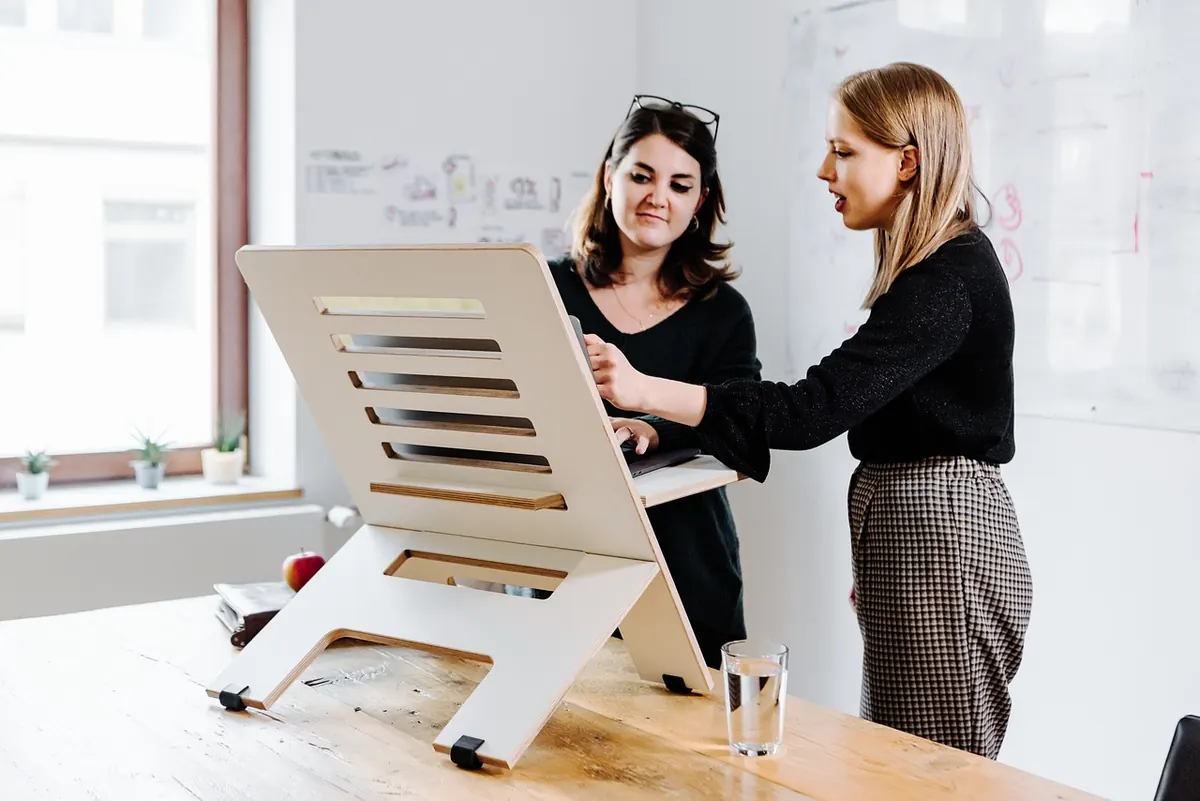
A desk is the one piece of home office kit you touch every working day, so it is worth choosing deliberately rather than inheriting whatever was spare when you moved in. The standing-versus-sitting question usually arrives in one of two ways: you like the idea of standing more, or your back has started complaining after a long morning. Both are good reasons to look at the options properly.
Here is how the two compare on health, space and cost — and how to weigh them against the room you actually have.
What each desk asks of you day to day
A standard sitting desk is stable, straightforward and forgiving. Any chair works with it, you can push it against a wall, and a generous top costs less than an adjustable frame of the same size. Nothing about it, though, prompts you to move. You can sit for three hours without noticing.
Most desks sold as standing desks are really sit-stand desks, with electric or hand-crank frames that move between heights. That distinction matters. You are not committing to standing all day; you are buying the option to change. Fixed standing desks — counter height, no adjustment — cost less and suit a short stint with a laptop, but most people working a full day at one end up wanting a stool.
Health: the honest picture
Neither position is a cure for anything. Long unbroken stretches in any single posture tend to leave you stiff, and sitting for hours is hard on the lower back, hips and neck, particularly if your chair or screen height is wrong. Standing all day has its own costs: aching feet, tight calves and a sore back if you lean or lock your knees. Hard floors and flat shoes make it worse.
Variety helps more than a heroic amount of standing. The value of an adjustable desk is that it makes switching easy: sit for focused work, stand for calls, reading or a stretch of admin, then sit again. A change every 30 to 45 minutes suits many people. Standing still for an hour is not obviously better than sitting still for an hour; walking to the kettle counts for more than either.
If you have an existing condition
Back problems, joint trouble, circulation issues, foot pain and pregnancy all change the calculation. Speak to your GP, physiotherapist or occupational health adviser before spending money on a setup you cannot send back.
Space and layout
Measure the room before you fall for a photograph of a desk.
A sitting desk needs less room. Most are 60–80cm deep, and you can slide them into an alcove, under a window or along a wall with shelves above, because nothing moves. If your office is a corner of a bedroom or a narrow box room, that matters more than any health argument.
A sit-stand desk needs clearance in three directions. The top travels up and down, so check for windowsills, radiators, sloped ceilings, picture rails and wall shelves: a desk that clunks into a windowsill at 105cm is useless. You also stand further back from the screen than you sit, so allow depth behind you for a chair, a mat and a step back. Leave slack in every cable, or fit a tray, because cables that are tidy at sitting height will pull when the desk rises.
The frame also eats space underneath. Under-desk drawers, filing cabinets and printer trolleys often will not fit between the legs, so plan storage elsewhere.
Cost: what you are really paying for
Expect a height-adjustable desk to cost noticeably more than a fixed desk of the same size — the money is in the frame, the motor and the controller. Then budget for the extras that make it work: a monitor arm or riser so the screen rises with the desk, cable management, a decent anti-fatigue mat if you stand on a hard floor, and possibly a tall stool if you like to perch.
There are cheaper routes. A good sitting desk plus a sturdy converter that sits on top gives you a standing option for a fraction of the price, though it limits how much kit you can lift. Buying a used frame and adding your own top — a solid-core door, a length of worktop, a piece of birch ply — is a common approach if you are handy with a drill. Just check the frame's weight limit before you load it up.
Whatever you choose, do not spend the whole budget on the desk. At a sitting desk the chair does most of the work, and even at a standing desk you will still sit for much of the day.
Five questions to settle it
- Will you actually adjust it? If you know you will leave it at one height for weeks, a fixed desk plus a converter is the honest buy.
- How much clearance does the room give you? Height above, depth behind, nothing fragile nearby.
- Where does the screen go? A laptop alone will not work at standing height; you need a riser or an external monitor on an arm.
- What has to live under the desk? Check drawer and cabinet heights against the frame.
- Can you try one first? An afternoon at a borrowed desk, or a retailer with a returns window, tells you more than any review.
Setting up either desk well
Get the basics right and the desk type matters far less:
- Screen: top of the display roughly at eye level in your main working position, about an arm's length away.
- Keyboard and mouse: elbows near a right angle, forearms level, wrists straight.
- Standing: wrists just below elbow height, feet flat, weight shifting, mat underfoot.
- Cables: slack loops or a tray, so nothing strains when the desk rises.
- Light: side-on to a window rather than facing it, to cut glare on the screen.
Making the call
Choose a sitting desk if space is tight, the budget is modest, and you sit for most of your work anyway. Put the money you save into a chair you like and a screen at the right height. That combination will do more for your comfort than a motorised frame you never touch.
Choose a sit-stand desk if you have room for the travel, can afford the frame and the accessories, and notice that long stretches of sitting leave you stiff. It earns its keep by making movement easy, not by turning you into someone who stands for eight hours.
Somewhere in the middle? A decent fixed desk now, with a converter on top, is a perfectly respectable place to start. Upgrade the frame later and keep the top.
Photo: Standsome / Pixabay